
Midjourney V7
Midjourney V7 पूरी गाइड: फीचर्स, प्रॉम्प्ट टिप्स और केस
Midjourney AI Team · 23 जुलाई 2026 · 8 min read
Keywords: Midjourney V7 Hindi, AI Image Generation, Prompt Engineering Tips
Published: 23 जुलाई 2026 Author: Midjourney AI Team
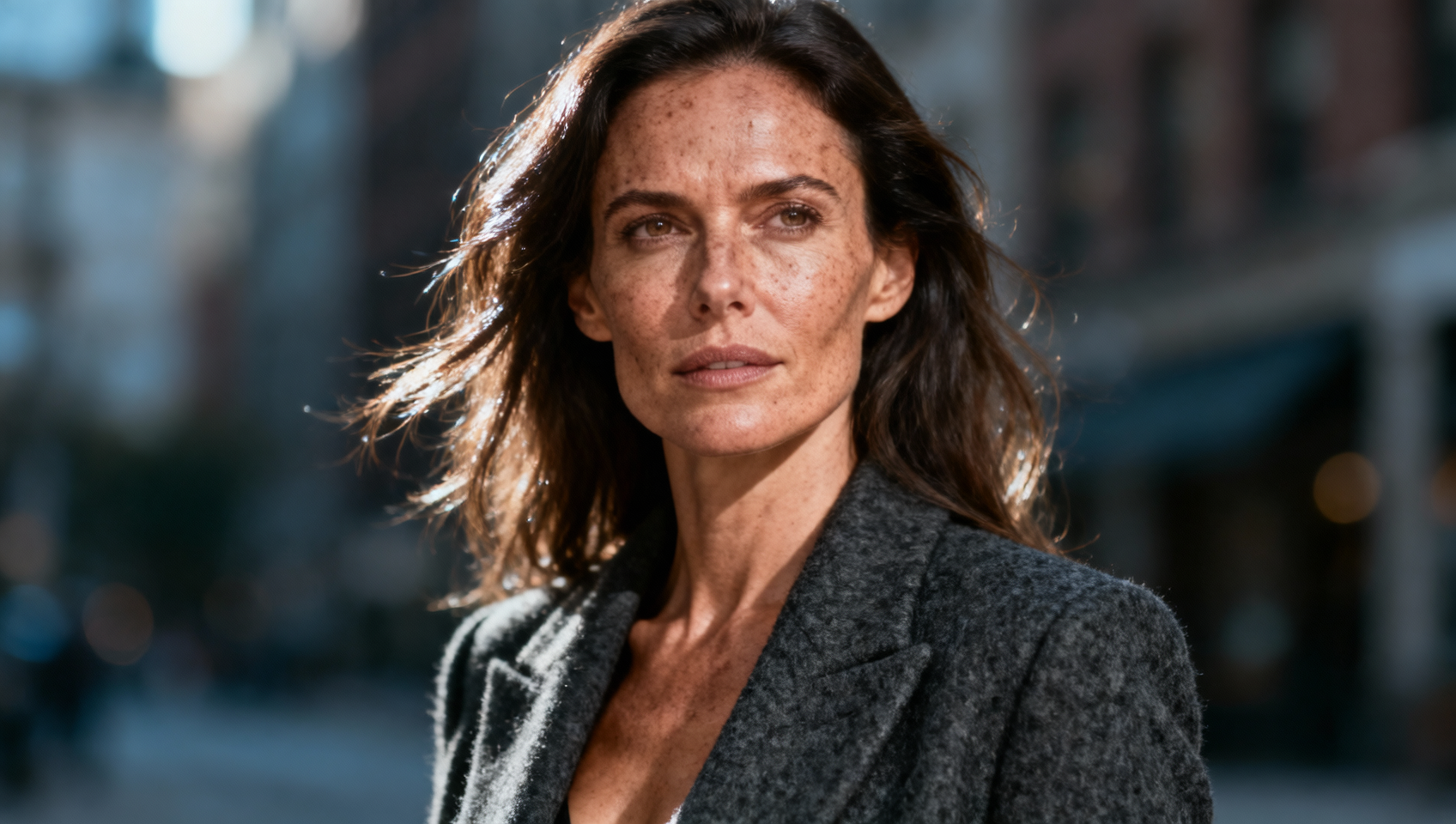
Midjourney V7 में बदलाव को समझना
Midjourney V7 का रिलीज़ जनरेटिव मॉडल्स की coherence और user intent को handle करने के तरीके में एक बड़ा बदलाव है। पिछले वर्ज़न्स में अक्सर users को मॉडल की details hallucinate करने या complex constraints को ignore करने की प्रवृत्ति के खिलाफ लड़ना पड़ता था। V7 इस dynamic को बदलता है by prioritizing semantic adherence without sacrificing the aesthetic density जो इस platform को popular बनाती है। प्रोफेशनल्स के लिए जो AI को production workflows में integrate कर रहे हैं, यह update अंतिम asset तक पहुँचने के लिए needed iteration count को कम करता है। यह केवल गुणवत्ता में वृद्धि नहीं है; यह usability overhaul है जो vague experimentation के बजाय precise instruction को reward करता है।
जब हम V7 के पीछे की architecture का विश्लेषण करते हैं, तो focus pure diffusion noise से बेहतर latent space mapping की ओर shift होता है। इसका मतलब है कि मॉडल scene में objects के बीच के relationship को अधिक logically समझता है। यदि आप "hand holding a camera" request करते हैं, तो V7 में fingers को lens housing में merge होने की संभावना कम है। यह structural integrity creators को anatomy fix करने में कम समय बिताने और lighting और composition को refine करने में अधिक समय देने की अनुमति देती है। MidassAI Studio का उपयोग करने वाली teams के लिए, यह reliability client drafts के लिए faster turnaround times में directly translate होती है。
मुख्य फीचर्स: डिटेल, सेमेंटिक्स और कंट्रोल
V7 के तीन स्तंभ detail density, semantic compliance, और style sensitivity हैं। V7 में detail density का मतलब texture के लिए noise जोड़ना नहीं है। इसके बजाय, मॉडल वहाँ information render करता है जहाँ यह matter करता है। Skin pores केवल तभी appear होते हैं जब camera distance suggest करती है कि वे visible होने चाहिए। यह "plastic look" को रोकता है जो earlier versions में common था जहाँ high-frequency noise को globally applied किया जाता था।
Prompt engineers के लिए semantic compliance सबसे महत्वपूर्ण upgrade है। V6 में, complex sentences अक्सर मॉडल को secondary subjects drop करने का कारण बनते थे। V7 subject stability को maintain रखता है भले ही prompt में multiple clauses शामिल हों। उदाहरण के लिए, character के outfit, उनकी action, और background weather को एक साथ describe करना अब मॉडल को weather को ignore करने का परिणाम नहीं देता है। यह single-subject portraits के बजाय narrative-driven image generation की अनुमति देता है।
Style sensitivity को भी tune किया गया है। --style raw parameter अब artistic keywords के साथ अधिक predictably interact करता है। पहले, "cinematic lighting" जोड़ने से "watercolor" जैसे specific artistic style को override किया जा सकता था। V7 में, मॉडल इन instructions को balance करता है, hybrid aesthetics की अनुमति देता है। यह brand consistency के लिए crucial है, जहाँ आपको specific illustration style की आवश्यकता हो सकती है जो फिर भी product visibility के लिए strict lighting requirements का पालन करती है।
फोर-लेयर प्रॉम्प्ट फ्रेमवर्क
V7 की capabilities को maximize करने के लिए, हम prompt construction के लिए एक structured approach की सलाह देते हैं। Keywords को randomly stacking करना अक्सर conflicting signals की ओर ले जाता है। एक four-layer structure सुनिश्चित करता है कि मॉडल instructions को importance के क्रम में process करे।
लेयर 1: विषय और एक्शन हमेशा primary focus के साथ शुरू करें। Subject क्या कर रहा है इसके बारे में specific रहें।
- कमजोर: A woman running.
- मजबूत: A female sprinter mid-stride, muscles tensed, eyes focused on the horizon.
लेयर 2: वातावरण और वायुमंडल परिभाषित करें कि action कहाँ हो रहा है और scene का mood क्या है।
- उदाहरण: On a wet asphalt track at dawn, mist rising from the ground, cool blue tones.
लेयर 3: शैली और प्रकाश व्यवस्था Artistic medium और light source को specify करें।
- उदाहरण: Shot on 35mm film, volumetric lighting, high contrast, cinematic color grading.
लेयर 4: कैमरा और पैरामीटर्स Technical specs और model flags के साथ समाप्त करें।
- उदाहरण: 85mm lens, f/1.8 --ar 16:9 --v 7 --style raw
इन layers को combine करना एक robust prompt बनाता है। यहाँ एक पूर्ण उदाहरण है जिसे आप टेस्ट कर सकते हैं: /imagine prompt: A vintage leather armchair in a sunlit library, dust motes dancing in light beams, warm golden hour glow, photorealistic interior design, 50mm lens --ar 3:2 --v 7 --style raw
यह संरचना मॉडल को stylistic filters लागू करने से पहले subject को prioritize करने में मदद करती है। यह style के subject matter को overpower करने की संभावना को कम करती है, जो previous iterations में एक common issue था।
पैरामीटर मास्टरी और कॉम्बिनेशन
V7 में पैरामीटर्स V5 या V6 की तुलना में अलग तरीके से काम करते हैं। नए model weights को access करने के लिए --v 7 flag essential है। हालाँकि, इसे --sref (style reference) और --cref (character reference) के साथ combine करना series work के लिए best consistency yield करता है।
Universal output के लिए, cinematic wides के लिए --ar 16:9 या social media portraits के लिए --ar 4:5 से शुरू करें। --stylize parameter control करता है कि मॉडल कितनी artistic freedom लेता है। V7 में, lower stylize value (जैसे --s 50) image को prompt literalism के closer रखता है, जबकि higher values (जैसे --s 750) अधिक decorative flair add करते हैं। Commercial work के लिए, हम ensure करने के लिए stylize को moderate रखने की सलाह देते हैं कि output brief से match करे।
जब --style raw का उपयोग करते हैं, तो आप कुछ default Midjourney aesthetic bias को remove कर देते हैं। यह ideal है जब आप चाहते हैं कि image एक digital render के बजाय human द्वारा ली गई photograph जैसी दिखे। --style raw को --no (negative prompting) जैसे specific camera parameters के साथ combine करना extra limbs या blurred text जैसे common artifacts को eliminate करने में मदद करता है।
Quick Takeaways
सामान्य V7 समस्याओं का समाधान
सुधारों के बावजूद, समस्याएं हो सकती हैं। यदि आपकी images बहुत smooth दिखती हैं, तो हो सकता है आप --stylize का overuse कर रहे हों। Texture को reintroduce करने के लिए इसे reduce करने या --style raw को remove करने का प्रयास करें। यदि मॉडल आपके prompt के किसी हिस्से को ignore करता है, तो order को check करें। V7 बाएं से दाएं पढ़ता है, जहाँ early tokens अधिक weight carry करते हैं। Critical elements को prompt की शुरुआत में ले जाएं।
एक अन्य सामान्य गड़बड़ conflicting lighting instructions है। एक ही prompt में "neon lights" और "natural sunlight" के लिए पूछना renderer को confuse करता है। एक primary light source को choose करें और इसे modify करने के लिए secondary descriptors का उपयोग करें, जैसे "natural sunlight filtering through neon signs."
कई generations में consistency किसी भी AI workflow में एक चुनौती बनी हुई है। Character consistency को maintain करने के लिए, --cref पर heavily rely करें। अपने character की एक reference image upload करें और --cref flag के साथ URL को append करें। यह different poses और environments across facial features और clothing details को lock करता है। Style consistency के लिए, एक single photo के बजाय mood board image के साथ --sref का उपयोग करें। यह मॉडल को color palette और texture की broader understanding देता है जिसे आप maintain करना चाहते हैं।
अपने Workflow में V7 को शामिल करना
V7 को अपनाने के लिए iteration के संबंध में अपनी अपेक्षाओं को समायोजित करना आवश्यक है। क्योंकि मॉडल अधिक compliant है, आपको short keywords पर rely करने के बजाय longer, more descriptive prompts लिखने चाहिए। यह shift writers और art directors को reward करता है जो अपनी vision को clearly articulate कर सकते हैं।
कई प्रोजेक्ट्स को manage करने वाली टीमों के लिए, prompts को four-layer structure द्वारा organize करना ensure करता है कि कोई भी team member results को replicate कर सके। जब हर prompt same logic का पालन करता है तो Documentation easier हो जाता है। आप future projects को accelerate करने के लिए इन structured prompts को MidassAI Studio के भीतर templates के रूप में save कर सकते हैं।
V7 से efficiency gains काफी substantial हैं। जहाँ V7 अक्सर first batch में viable options deliver करता है, वहीं V5 को एक usable image खोजने के लिए ten variations की आवश्यकता हो सकती थी। यह आपको basic generation के बजाय post-processing और refinement पर focus करने की अनुमति देता है। इन improvements को firsthand experience करने के लिए, हम controlled environment में नए model parameters को test करने की सलाह देते हैं।
क्या आप अपने AI art production को streamline करने के लिए तैयार हैं? हमारे integrated platform के भीतर latest model की full capabilities को explore करें।
MidassAI Studio में Midjourney आज़माएं
V7 की बारीकियों को master करके, आप random generation से intentional creation की ओर बढ़ते हैं। Tools अधिक powerful हैं, लेकिन वे अधिक precision की मांग करते हैं। Prompt को wish list नहीं बल्कि brief की तरह treat करें, और मॉडल professional-grade assets के साथ respond करेगा जो आपके production pipeline में seamlessly fit होंगे।