
midjourney
Podstawy Promptów Midjourney i Parametry: Zamień Słowa w Obrazy
Midjourney AI Team · 23 lipca 2026 · 6 min read
Keywords: midjourney poradnik, generowanie obrazów ai, parametry midjourney, midassai studio
Published: 23 lipca 2026 Author: Midjourney AI Team
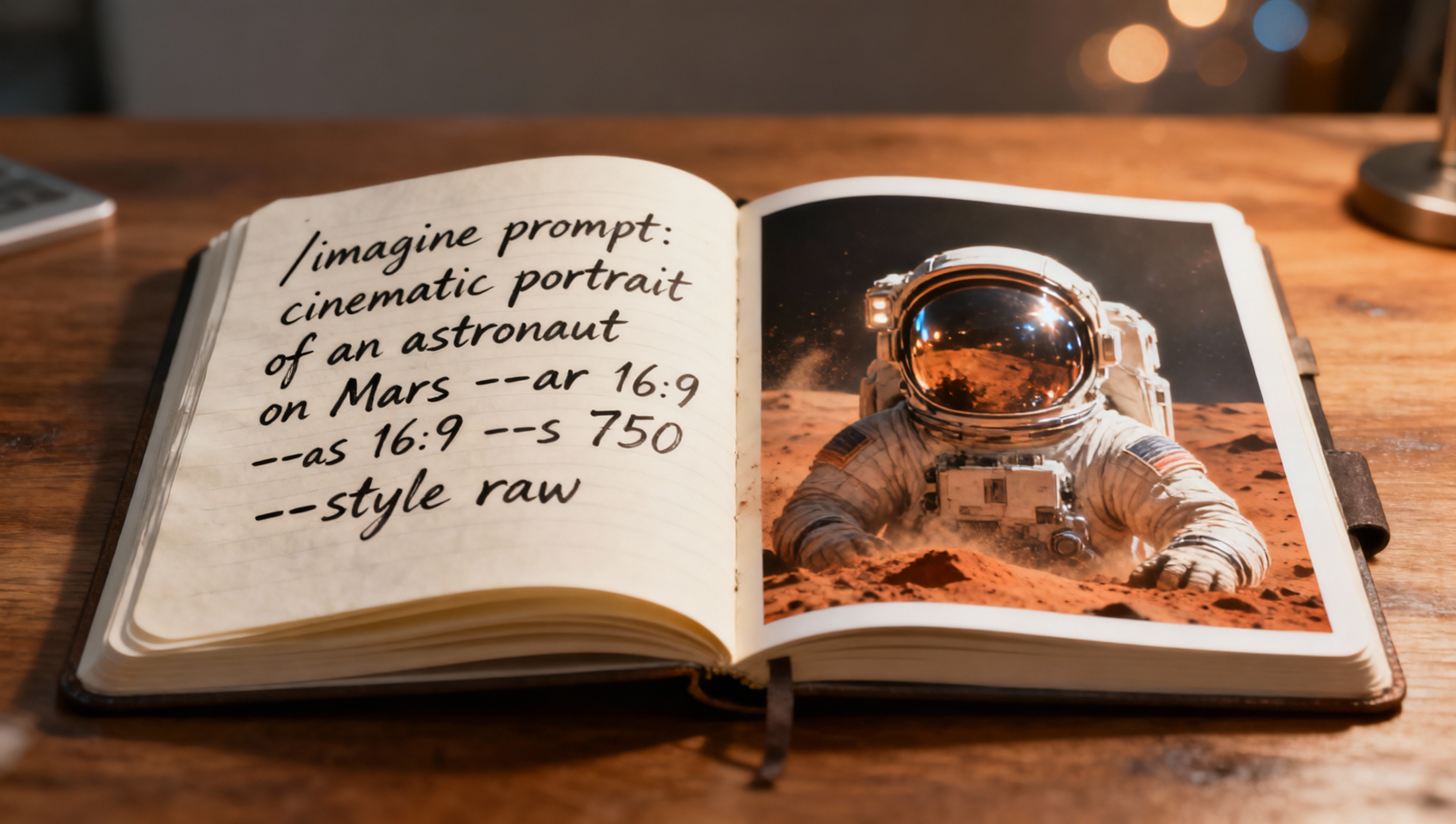
Zrozumienie Silnika Sztuki Generatywnej
Generowanie przekonujących obrazów AI to mniej magia, a więcej komunikacja. Gdy interagujesz z Midjourney w MidassAI Studio, kierujesz modelem przestrzeni latentnej, aby nawigował towards konkretnego wyniku wizualnego. Prompt jest Twoim systemem nawigacji. Bez jasnego zrozumienia, jak model interpretuje tekst, zasadniczo zgadujesz. Ten przewodnik rozkłada mechanikę konstrukcji promptu, wychodząc poza proste opisy w stronę strukturalnych poleceń, które dają spójne, wysokiej jakości rezultaty.
Wielu użytkowników poprzestaje na temacie, wpisując "a cat" i oczekując obrazu gotowego do portfolio. Model dostarczy kota, ale będzie on przeciętny. Aby osiągnąć profesjonalny wynik, musisz nawarstwić kontekst, styl i parametry techniczne. Skupimy się na obecnej stabilnej wersji, wykorzystując składnię /imagine kompatybilną z wersją 7 (--v 7), zapewniając, że Twoje przepływy pracy pozostaną aktualne wraz z ewolucją technologii.
Dla Kogo Jest Ten Poradnik
Ten przegląd jest przeznaczony dla designerów, marketerów i twórców treści, którzy potrzebują niezawodności od swoich narzędzi AI. Jeśli masz dość grania w loterię przy generacjach i chcesz zrozumieć, dlaczego obraz nie wyszedł lub jak powielić sukces, to jest dla Ciebie. Nadaje się również dla tradycyjnych artystów looking to integrate AI into their concepting phase without losing creative control. Nie potrzebujesz wiedzy programistycznej, ale potrzebujesz willingness to iterate.
Anatomia Skutecznego Promptu
Solidny prompt przestrzega logicznej hierarchii. Traktuj to jak dokument briefu dla ludzkiego fotografa lub ilustratora. Struktura generalnie płynie od tematu do medium, następnie do oświetlenia i kompozycji, a na końcu do parametrów technicznych.
Zacznij od Tematu. Bądź specyficzny. Zamiast "wojownik", spróbuj "cybernetyczny samuraj w znoszonej skórzanej zbroi". Następnie zdefiniuj Medium. Czy szukasz fotografii, obrazu olejnego, czy renderu 3D? Terminy takie jak "fotografia makro", "kadr filmowy" lub "ilustracja wektorowa"设定 expectations texture.
Kontekst wypełnia środowisko. Gdzie jest subject? Jaka jest pora dnia? Na koniec dodaj Modyfikatory Stylu. To tutaj injectujesz nastrój. Słowa takie jak "mroczny", "neon-noir" lub "minimalistyczny" kierują paletą kolorów i atmosferą.
Częstym błędem jest upychanie słów kluczowych. Dodanie pięćdziesięciu przymiotników myli mechanizm uwagi modelu. Rozwadnia to fokus. Trzymaj się najbardziej wpływowych deskryptorów. Jeśli chcesz czerwony samochód, nie mów też "szkarłatny pojazd" i "krwistoczerwony automobil". Wybierz jeden clear term.
Niezbędne Parametry Kontroli
Parametry to komendy dodawane na końcu Twojego promptu, które zmieniają sposób przetwarzania żądania przez model. Są prefixed with double dashes. Zrozumienie ich to różnica między generic output a tailored asset.
Parametr Proporcje obrazu (--ar) jest kluczowy dla kompozycji. Domyślne kwadraty często cropują subjekty awkwardly. Do relacji w social media użyj --ar 9:16. Do kinowych bannerów, --ar 16:9. W MidassAI Studio możesz adjust this visually, ale knowing the syntax allows for precise batch operations.
Stylizacja (--s) controls how strongly the model applies its own aesthetic bias. Niska wartość (np. --s 50) sticks closer to your literal prompt. Wysoka wartość (np. --s 750) pozwala modelowi na więcej artistic freedom, often resulting in more beautiful but less accurate images. Do fotografii produktowej, keep stylization low to maintain fidelity. Do concept art, higher values inspire creativity.
Wersjonowanie (--v 7) ensures you are using the latest model capabilities. Nowsze wersje understand natural language better i handle complex lighting more realistically. Always specify the version in your workflows to prevent drift when the platform updates.
Style Raw (--style raw) is another powerful toggle. Reduces the model's default beautification filters. If you need gritty realism or specific lighting conditions that the model usually "fixes" to look too polished, this parameter is essential.
Quick Takeaways
Kontrola Rozmiaru i Rozdzielczości Obrazu
Rozdzielczość w generatywnym AI to proces dwuetapowy. Initial generation creates a base grid, typically at a lower resolution to save computation time. Prawdziwa jakość comes from the upscaling phase. W Midjourney, you select a variant from the initial grid i choose an upscale option.
Pracując w MidassAI Studio, masz access to enhanced upscalers that add detail rather than just stretching pixels. However, your initial aspect ratio dictates the maximum usable resolution. If you generate a square image but need a wide banner, upscaling will not fix the composition. You must set the --ar parameter before generation.
Uważaj na ekstremalne proporcje. While --ar 21:9 is possible, pushing beyond standard cinematic ratios can sometimes result in distorted subjects or duplicated elements as the model struggles to fill the space. Test intermediate ratios like --ar 3:2 for photography standards before committing to ultra-wide formats.
Modyfikowanie Twoich Kreacji
Gdy masz już bazowy obraz, który Ci się podoba, praca shifts to refinement. Rzadko gets the perfect image on the first try. This is where Character Reference (--cref) and Style Reference (--sref) become invaluable.
If you have a character design that needs to appear in multiple scenes, generate the character first. Copy the image URL and append --cref [URL] to your new prompts. This tells the model to maintain facial features and clothing consistency. Similarly, --sref locks in the color palette and artistic style of a reference image.
Ten przepływ pracy jest kluczowy for branding. You can establish a visual identity with one master image and propagate that style across hundreds of assets without rewriting complex style descriptors every time. W MidassAI Studio, managing these references is streamlined, allowing you to save preferred styles for future projects.
Multi-Prompty i Wagi
Czasami trzeba zbalansować conflicting concepts. Multi-prompts allow you to separate ideas using double colons ::. This tells the model to treat the text segments as distinct entities rather than a blended sentence.
For example, fire::ice generates an image where fire and ice are separate elements. fire:ice might blend them into a steamy mess. You can also assign weights to prioritize elements. portrait::2 lighting::1 tells the model that the subject's face is twice as important as the lighting setup.
Używaj wag, gdy model ignores key components of your prompt. If you ask for a "red car in a blue forest" and the car keeps turning blue, increase the weight on "red car." However, use this sparingly. Over-weighting can lead to disjointed images where elements do not interact naturally.
| Feature | Benefit |
|---|---|
| Speed | Faster creation |
| Quality | Studio-grade output |
Integracja Przepływów Pracy w MidassAI
Opanowanie składni to only half the battle. The other half is managing the workflow. Generating images is fast; organizing, selecting, and publishing them is where time is spent. MidassAI Studio provides the environment to handle this scale.
Możesz testować różne parameter combinations rapidly without leaving the interface. Instead of managing discord bots or command lines, you have a visual dashboard. This allows you to focus on the creative direction rather than the technical overhead. When you are ready to move from experimentation to production, the studio supports higher priority processing and batch generation.
Aby naprawdę opanować te narzędzia, you must practice. Take a simple concept and run it through five different parameter sets. Change the aspect ratio. Toggle style raw. Adjust the weights. Observe how each change alters the output. This empirical approach builds the intuition needed to prompt effectively under pressure.
Gotowy, aby usprawnić swój generation pipeline? Access the full suite of tools and start creating with precision.