
consistența personajelor
5 Fluxuri Avansate pentru Consistența Personajelor în Midjourney
Midjourney AI Team · 23 iulie 2026 · 7 min read
Keywords: consistență personaje AI, generare imagini Midjourney
Published: 23 iulie 2026 Author: Midjourney AI Team
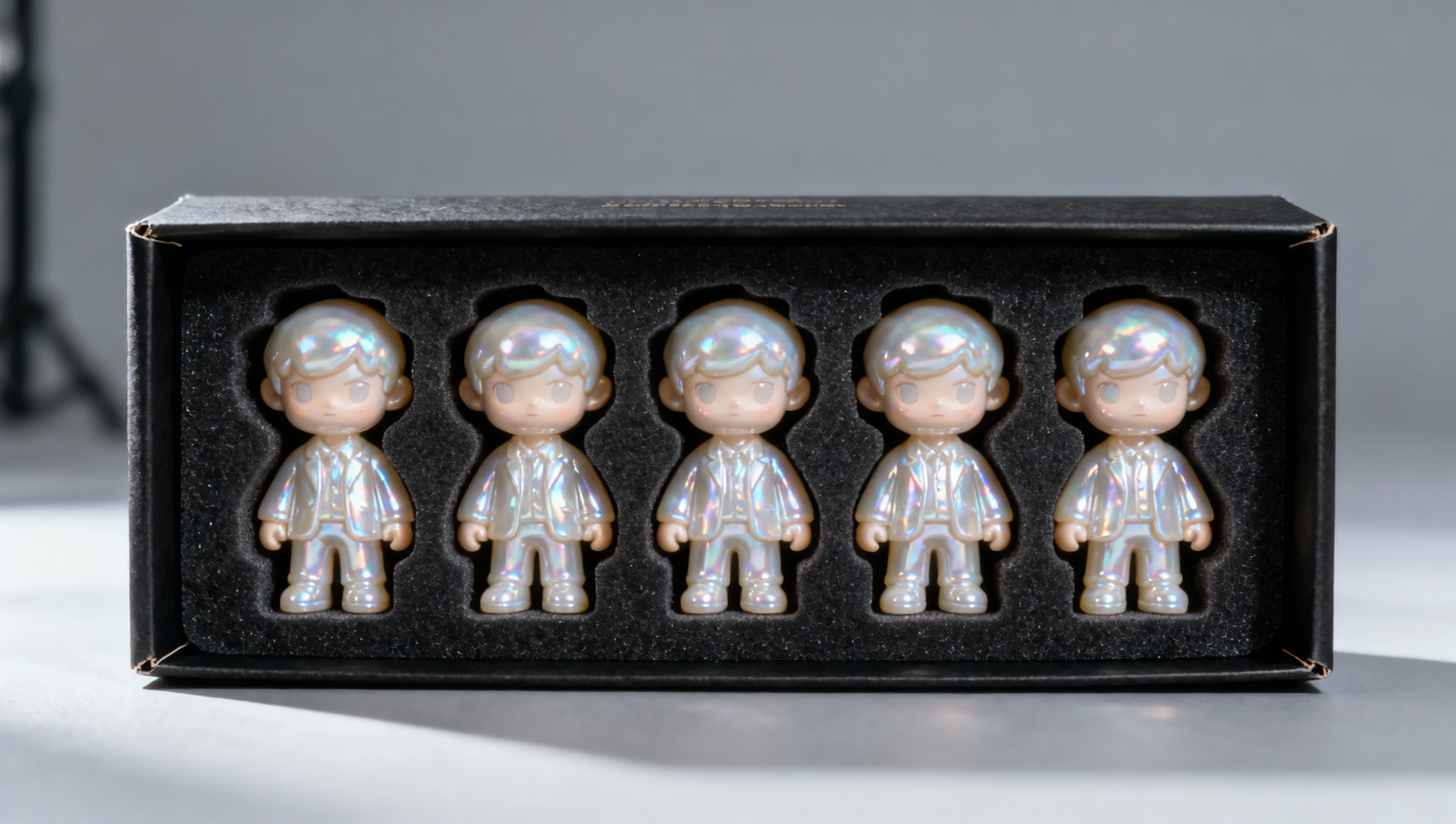
Realitatea Consistenței Personajelor în AI Generativ
Menținerea unui personaj consistent across multiple generations remains one of the hardest challenges in generative AI. You generate a perfect protagonist for your comic or game, but the next prompt renders them with different eyes, hair, or bone structure. This inconsistency breaks immersion and ruins production pipelines.
While basic prompting can get you close, professional results require a structured approach using reference parameters. In this guide, we break down five advanced workflows for character consistency using Midjourney V6's --cref (Character Reference) and the emerging V7 --oref (Object Reference) capabilities available within MidassAI Studio. These methods move beyond luck and into reproducible engineering.
Înțelegerea Parametrilor de Bază: --cref vs --oref
Before diving into workflows, you must understand the tools at your disposal. Midjourney V6 introduced --cref, which allows you to upload an image URL and tell the model to prioritize the facial features and clothing of that reference image. It is powerful but sometimes struggles with extreme pose changes.
The V7 update, accessible via MidassAI Studio, introduces --oref. While --cref focuses on the character identity, --oref allows for stricter adherence to specific object or character geometry without necessarily locking the style. Using them together or separately depends on your end goal.
Sintaxa Cheie:
/imagine prompt: [description] --cref [URL] --cw 100/imagine prompt: [description] --oref [URL] --v 7
The --cw (Character Weight) parameter ranges from 0 to 100. A value of 100 copies the face and clothing, while 0 copies only the face. Mastering this slider is half the battle.
Fluxul 1: Metoda Portretului Ancoră
The most common failure point is starting without a solid base. The Anchor Portrait workflow establishes a "source of truth" image before attempting any variations.
Pasul 1: Generate a high-quality, well-lit portrait of your character. Ensure the face is clearly visible and not obscured by hair or accessories. Pasul 2: Upscale this image and copy its URL. Pasul 3: Use this URL as your --cref source for all subsequent generations.
Exemplu de prompt: Iată cum arată comanda pentru generare:
/imagine prompt: a cyberpunk detective standing in rain --cref https://example.com/anchor.png --cw 100 --v 6
Capcană: Do not use a generated image with artifacts as your anchor. If the source has six fingers or weird eyes, the consistency tool will propagate those errors. Spend time perfecting the anchor in MidassAI Studio before branching out.
Fluxul 2: Blocarea Stilului cu --sref și --cref
Character consistency is not just about the face; it is about the visual language of the project. You often need the same character in the style of a specific artist or medium.
Combine --cref for the person and --sref (Style Reference) for the aesthetic. This separates identity from rendering style.
Exemplu de prompt: Utilizați această structură pentru stilizare:
/imagine prompt: the detective solving a case --cref https://example.com/anchor.png --sref https://example.com/noir-style.png --v 6
De ce funcționează: By decoupling style from identity, you prevent the style reference from overriding the facial features. This is essential for graphic novels where the art style must remain static while the character moves through different scenes.
Fluxul 3: Rotiri Multi-unghiulare
Game developers and animators need character turnarounds (front, side, back views). Standard prompting often changes the character's identity when asking for a "side profile."
To fix this, use a low --cw value combined with explicit pose descriptors.
Exemplu de prompt: Comanda pentru vizualizare laterală:
/imagine prompt: character sheet, side profile view of the detective --cref https://example.com/anchor.png --cw 10 --v 6
Tehnică: Lowering the character weight to 10 tells Midjourney to keep the facial identity but ignore the clothing and pose of the reference image. This allows the model to rotate the character without trying to force the original front-facing pose onto a side view. In MidassAI Studio, you can batch these variations to find the perfect rotation quickly.
Fluxul 4: Integrare Contextuală
Putting your consistent character into complex scenes often causes the model to blend them into the background, altering their appearance to match the lighting or environment too aggressively.
Use --style raw to reduce the model's internal aesthetic bias. This keeps the character looking like themselves rather than becoming a generic part of the scene composition.
Exemplu de prompt: Integrează personajul în scenă astfel:
/imagine prompt: the detective running through a crowded market --cref https://example.com/anchor.png --style raw --v 6
Sfat Pro: If the character still morphs, increase the weight of the character description in the prompt text itself. Reinforce the visual cues verbally alongside the image reference.
Fluxul 5: Pipeline-ul de Producție în Masă
For comics or storyboards, you need volume. This workflow leverages MidassAI Studio's queue management to scale consistency.
- Create a Library: Generate 5-10 variations of your anchor character in different lighting conditions. 2. Tag Assets: Organize these URLs in your Studio dashboard. 3. Batch Generate: Use the V7
--orefparameter for props and items the character holds, ensuring those remain consistent too. 4. Iterate: Select the best outputs and feed them back as new references if the character evolves (e.g., gets dirty, changes clothes).
This loop creates a living asset library rather than a static image folder. It allows for narrative progression where the character looks the same but reflects the story's wear and tear.
Quick Takeaways
Capcane Comune și Cum să le Evitați
Even with these workflows, issues arise. The most frequent complaint is "face drift," where the character looks 90% correct but the eyes or jawline shift slightly.
Soluție: Increase the specificity of your text prompt. If the reference image has blue eyes, write "blue eyes" in the prompt. The text prompt still influences the generation alongside the image reference.
Another issue is clothing bleed. If your reference character wears a red jacket, subsequent generations might force them into a red jacket even when you want them in swimwear.
Soluție: Drop --cw to 0. This isolates the face. You will then need to describe the new clothing in detail in the text prompt to override the reference's attire.
Scalarea Producției în MidassAI Studio
Managing dozens of reference URLs and prompt variations can become chaotic in a standard Discord environment. MidassAI Studio provides a structured interface to handle these assets. You can store your anchor images, manage your --cref links, and organize generations by project folders.
When working with V7 features like --oref, the Studio environment ensures you have the correct model version selected without needing to remember specific version flags every time. This reduces friction and allows you to focus on the creative output rather than syntax debugging.
Gânduri Finale despre Consistență
Character consistency is not a single prompt trick; it is a pipeline. It requires establishing a strong anchor, understanding how weights affect identity versus clothing, and knowing when to switch between V6 and V7 parameters. By implementing these five workflows, you move from generating random images to producing cohesive visual assets.
Start building your anchor library today. Test the difference between --cw 100 and --cw 0 to see how much control you actually have over the output.
Ready to streamline your generative workflow? Access the latest V7 features and manage your character references efficiently.