Midjourney AI
MidassAI Studio öffnen
V8.2 · Kreative Workflows

Erschaffe mutigere Bilder. Bearbeite sie mit mehr Kontrolle.

Praktische V8.2-Workflows für Prompts, Bearbeitung, Personalisierung und Stilreferenzen – direkt in MidassAI Studio nutzbar.

Workflows für das neueste Modell Bearbeiten & personalisieren Unabhängiger Guide

Creators use Midjourney prompts for editorial portraits, product heroes, and stylized concept art on MidassAI Studio.

Kreatives Feld V8.2 / 01—04
Editorial Fashion Portrait 01
Cinematic Concept Art 02
Product Hero Lifestyle 03
Anime Character — Niji 04
Generating

/imagine fashion editorial portrait of an East Asian woman in a linen trench coat, amber side key light, soft catchlights, visi…

Try in Studio

Midjourney online

Bilder im Browser erstellen und bearbeiten

Entdecke browserbasierte Midjourney-Workflows, praktische Prompts, Referenzbilder sowie die Bildgenerierung und Bearbeitung mit V8.2.

Du suchst Midjourney free online? Dieser unabhängige Guide erklärt aktuelle Optionen. Credits, Verfügbarkeit und Preise können sich ändern; prüfe vor der Generierung die Studio-Bedingungen.

Online-Studio öffnen

V8.2 · Aktuelles Modell im Fokus

Drei Wege, den Unterschied von V8.2 zu erleben

V8.2 stellt Ästhetik, Zuverlässigkeit und Personalisierung vor Prompt-Überladung. Starte mit diesen Beispielen und ändere jeweils eine visuelle Entscheidung.

Mutigere Ästhetik Weniger schwache Ergebnisse Stärkere Personalisierung
Midjourney V8.2 Is Default: What Changed and How to Prompt…

V8.2 / 01

Midjourney V8.2 Is Default: What Changed and How to Prompt…

A sculptural editorial portrait in a monumental concrete gallery, a couture figure wrapped in translucent vermilion fabric frozen mid-motion, bold silhouette, tactile skin and fabric, directional daylight, sophisticated magazine color grade --ar 4:3 --style raw

Guide lesen →
Prompten wie ein Fotograf: Natürliche Sprache für V8

V8.2 / 02

Prompten wie ein Fotograf: Natürliche Sprache für V8

A solitary traveler sits beside a rain-streaked train window at blue hour. Warm carriage light shapes the face while the city dissolves into layered reflections outside. Eye-level 85mm documentary photograph, restrained film grain --ar 4:3 --style raw

Guide lesen →
Midjourney V8 Personalisierung: Profile, Moodboards und --p

V8.2 / 03

Midjourney V8 Personalisierung: Profile, Moodboards und --p

An art director’s moodboard table with one sculptural ceramic object, three carefully pinned material studies, linen, oxidized metal, and handmade paper, unified warm-earth palette, exact contact shadows, premium editorial still life --ar 4:3 --style raw

Guide lesen →

What you can create

Four Creative Lanes

Pick a workflow — portrait, concept art, product heroes, or stylized characters — then copy a ready-made prompt.

Core workflow

Text-to-image with /imagine

Describe the scene in natural language, add parameters, and iterate in MidassAI Studio — no Discord required.

  • Prompts in natürlicher Sprache mit Seitenverhältnis, Style Raw und aktuellem Modellleitfaden
  • Upload references for style (--sref) or character (--cref) consistency
  • Download results and refine with follow-up prompts
Try in Studio

Live prompt

/imagine cottagecore morning in a wildflower meadow, linen dress figure walking a dirt path, soft golden haze, analog warmth, pastoral photography --ar 3:4 --style raw

Try in Studio

Prompt craft

Prompts & parameters

The flags that change framing, realism, and consistency — copy an example and adjust one parameter at a time.

--ar 3:4

Aspect ratio

Portrait, landscape, or square framing

--style raw

Style Raw

Photoreal tier with finer texture

--sref URL

Style reference

Anchor look & color from a reference image

--cref URL

Character reference

Lock face and outfit across shots

V8.2

Model version

Aktuelles Bildmodell und Qualitätsniveau

Cottagecore Meadow Morning

Cottagecore Meadow Morning

Soft morning light over a wildflower meadow.

          /imagine cottagecore morning in a wildflower meadow, linen dress figure walking a dirt path, soft golden haze, analog warmth, pastoral photography --ar 3:4 --style raw
        

Learn

From First Prompt to Pro Workflow

Follow numbered tutorials, then dive into prompt guides on the blog.

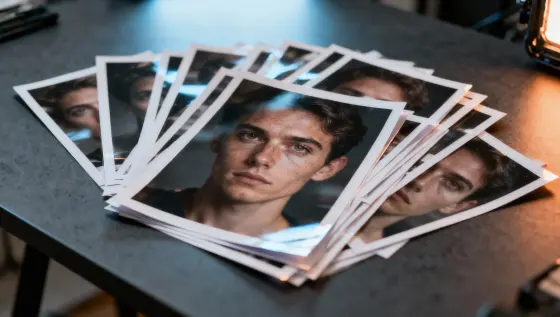
Kontaktbögen, eine Keramiklampe und bernsteinfarbene Trennblätter auf einem Arbeitstisch.

Midjourney Alpha: Änderungen im Oktober

Ordner-Einstellungen, Stilvorschauen und feste Bildproportionen: Was das Oktober-Update für Ihren Workflow und die Projektübergabe ändert.

Midjourney AI Team · 8. Oktober 2026

MidassAI Studio

Start Creating in Your Browser

Open Midjourney Studio — upload references, paste prompts, and download results without a separate install.

From $9/month · Browser-based · 24 Studio UI languages

Start Creating Now

Common Questions

Quick answers before your first Midjourney session

What is Midjourney?

Midjourney is a text-to-image workflow built around /imagine prompts, style parameters, and reference images — run it in MidassAI Studio from your browser.

How do I start creating?

Click Start Creating Now — MidassAI Studio Midjourney opens in your locale. Paste a prompt or upload a reference; no separate app install.

Which languages are supported?

Dieser Guide erscheint in acht Sprachen: Englisch, vereinfachtem und traditionellem Chinesisch, Japanisch, Koreanisch, Deutsch, Französisch und Spanisch. Die Studio-Verfügbarkeit kann je nach Region variieren.

What is Midjourney Pro?

Pro is the higher tier for sharper text, stronger consistency, and larger output — use it when you need commercial-grade refinement.

Is this an official Midjourney site?

No. We publish independent guides and link you to MidassAI Studio. For Midjourney’s official product, visit midjourney.com.

Kann ich Midjourney kostenlos online nutzen?

Angebote von Midjourney und Drittanbieter-Studios können sich ändern. Nutze unsere kostenlosen Prompts und Guides und prüfe vor der Generierung Credits, Testbedingungen und Preise des Dienstes.

Kann ich Midjourney ohne Discord nutzen?

Ja. Aktuelle Browser-Workflows ermöglichen Erstellen und Bearbeiten über eine Weboberfläche, ohne Prompts in Discord zu verwalten. Diese Website ist ein unabhängiger Guide, kein offizieller Dienst.