
niji
Niji 7: Трендовые 3D-персонажи | Гайд по промптам Midjourney (1)
Midjourney AI Team · 23 июля 2026 г. · 6 min read
Keywords: Midjourney Niji 7, 3D персонажи, генерация игрушек
Published: 23 июля 2026 г. Author: Midjourney AI Team
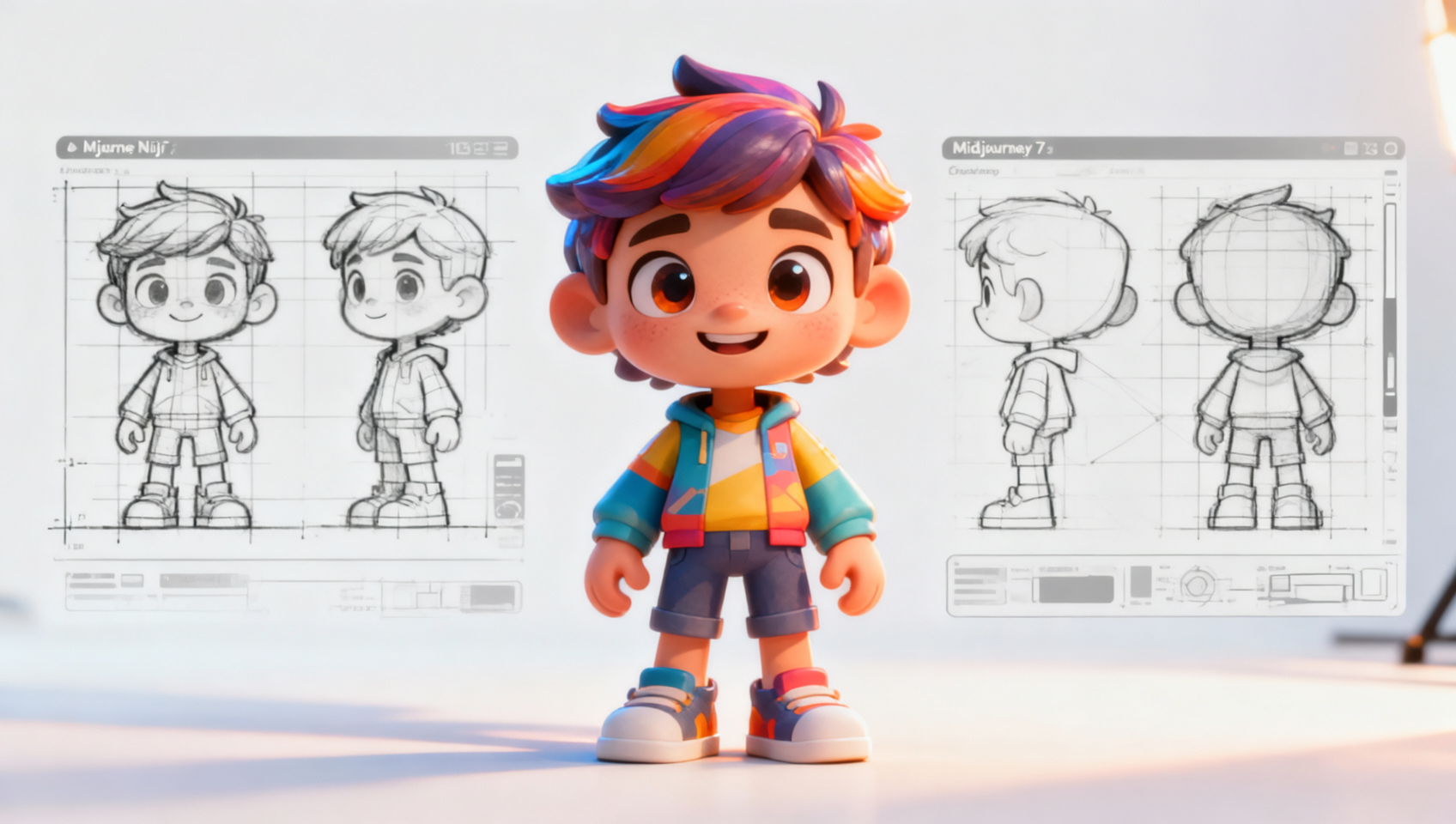
Почему Niji 7 меняет правила игры в дизайне 3D IP
Создание последовательных, высококачественных 3D-персонажей для линеек игрушек или цифровых IP раньше требовало недель моделирования в Blender или Maya. С последней версией модели Niji, конкретно версией 7, порог входа изменился кардинально. Эта модель понимает глубину, материальность и освещение так, как предыдущие версии struggled to maintain consistently.
Для дизайнеров и энтузиастов возможность генерировать_assets, готовые для игрушек_, непосредственно из текстовых промптов открывает рабочие процессы быстрого прототипирования. Вы больше не просто создаете изображения; вы создаете потенциальные продукты. Ключ заключается в понимании того, как communicated material properties—like matte plastics, glossy vinyl, or soft plush textures—to the AI.
Это руководство разбирает конкретный рабочий процесс для генерации трендовых 3D-персонажей. Мы рассмотрим точную структуру промпта, проанализируем, почему важны определенные параметры, и покажем, как execute this within MidassAI Studio. Создаете ли вы личный бренд или тестируете концепции для клиента, mastery this style gives you a significant edge in visual development.
Quick Takeaways
Структура мастер-промпта
Чтобы добиться вида, напоминающего высококлассные игрушки из blind box или коллекционные фигурки, ваш промпт нуждается не только в описании объекта. Он требует инструкций по освещению и ключевых слов render engine. Ниже приведен базовый промпт, который вы можете использовать сразу:
/imagine prompt: a cute 3D trendy character, little boy wearing oversized streetwear hoodie, vibrant colors, blind box toy style, pop mart style, octane render, subsurface scattering, soft studio lighting, rim light, pastel background, high detail, 8k --ar 3:4 --niji 7 --style raw --s 250Этот промпт engineered for specificity. Обратите внимание на включение "octane render" и "subsurface scattering". Эти термины signal the AI to simulate how light passes through semi-translucent materials, a hallmark of high-quality vinyl toys. Соотношение сторон --ar 3:4 выбрано deliberately. It provides enough vertical space for a full-body character shot while maintaining a composition suitable for mobile screens or portfolio presentations.
Использование --style raw здесь критично. Standard stylization often adds artistic flair that can distort 3D geometry. Raw mode adheres more strictly to your prompt descriptors, ensuring the character looks like a physical object rather than a digital painting. Параметр --s 250 балансирует artistic interpretation with prompt adherence, preventing the image from becoming too abstract.
Разбор эстетики
Понимание того, почему промпт работает, позволяет вам modify it for different needs. Core of this aesthetic relies on three pillars: lighting, material, and composition.
Настройка освещения Промпт specifies "soft studio lighting" и "rim light". Studio lighting ensures even illumination across the character, reducing harsh shadows that can obscure design details. Rim lighting creates a separation between the character and the background, enhancing the 3D effect. Without rim light, the character might feel flat against the pastel background. If you want a more dramatic look, you can swap "soft studio lighting" for "volumetric lighting" or "god rays," but be careful not to lose surface detail.
Определение материалов Термины like "blind box toy style" и "pop mart style" are not just buzzwords; they trigger specific training data related to vinyl collectibles. This tells the model to smooth out textures and avoid realistic skin pores or fabric weaves that belong to photography. If you want a plush look instead, replace these terms with "felt texture" or "soft plush material." For a metallic finish, use "anodized aluminum" or "chrome finish."
Цветовая палитра "Vibrant colors" paired with a "pastel background" creates contrast. The character pops because the background recedes. If you are building a brand, you should replace "vibrant colors" with specific hex codes or color names, such as "teal and orange color scheme" or "monochromatic blue." Consistency in color is vital for IP recognition.
Выполнение в MidassAI Studio
Running these prompts efficiently requires a stable environment. MidassAI Studio provides a streamlined interface for managing Midjourney workflows without the friction of Discord commands. Here is how to integrate this into your process.
- Доступ к инструменту: Navigate to the Midjourney section within MidassAI Studio. The interface is designed to keep your generations organized by project rather than scattered chat logs.
- Ввод промпта: Copy the master prompt above into the input field. Ensure you select the Niji 7 model version in the settings panel if it is not default.
- Быстрая итерация: Generate a grid of four variations. Do not upscale immediately. Look for the silhouette and lighting consistency first.
- Уточнение параметров: If the character looks too realistic, increase the
--stylizevalue. If the hands or accessories are distorted, add--no realistic handsor focus on close-up crops using--zoomfeatures after upscaling. - Сохранение и организация: Use the studio's organization tools to tag successful generations. This builds a library of assets you can reference for future consistency using
--cref(character reference).
Решение распространенных проблем
Even with a robust prompt, AI generation can produce anomalies. Here are the most frequent pitfalls and how to fix them.
Проблема: Персонаж выглядит слишком реалистично
If your output resembles a photograph of a person rather than a toy, your lighting keywords might be too strong. Remove "subsurface scattering" and replace "octane render" with "3D render." You can also add --style raw if you haven't already, as it sometimes reduces photorealistic noise in Niji models.
Проблема: Нестабильные цвета
If you are trying to build a series and the colors shift every time, you need to lock them down. Use color anchoring in your prompt, such as "wearing a specific red hoodie #FF0000." For advanced consistency, generate one perfect image, get its URL, and use it as a character reference with --cref [URL] in subsequent prompts.
Проблема: Загруженные фоны
The prompt calls for a pastel background, but sometimes the AI adds props or scenery. To force a clean look, add --no background details or simply specify "solid color background." This is crucial if you plan to cut out the character for compositing later.
Для кого это
This workflow is designed for concept artists, indie toy designers, and content creators who need rapid visualisation. It is not intended for final production meshes ready for 3D printing without cleanup. However, it serves as an exceptional proof-of-concept tool. If you are validating a character design before committing to modeling, this saves hours of work.
It is also suitable for marketers needing fresh visuals for social media campaigns. The "trendy" aesthetic aligns well with current social media preferences for bright, clean, and engaging visuals. By using MidassAI Studio, you keep these assets organized and ready for deployment across different channels.
Следующие этапы работы
Once you have generated a character you love, the work isn't done. The next phase involves consistency. Start building a character sheet by prompting for front, side, and back views using the same seed number. You can find the seed number in the job details and append --seed [NUMBER] to your new prompts to maintain noise structure.
From there, you can experiment with different poses or outfits while keeping the facial features locked using character references. This is where the true power of the tool shines—transforming a single image into a living brand asset.
Ready to start building your own 3D IP library? Access the full power of Midjourney without the Discord clutter.