
Гид по миниатюрам Midjourney: Тилт-шифт и макро
Midjourney AI Team · 23 июля 2026 г. · 7 min read
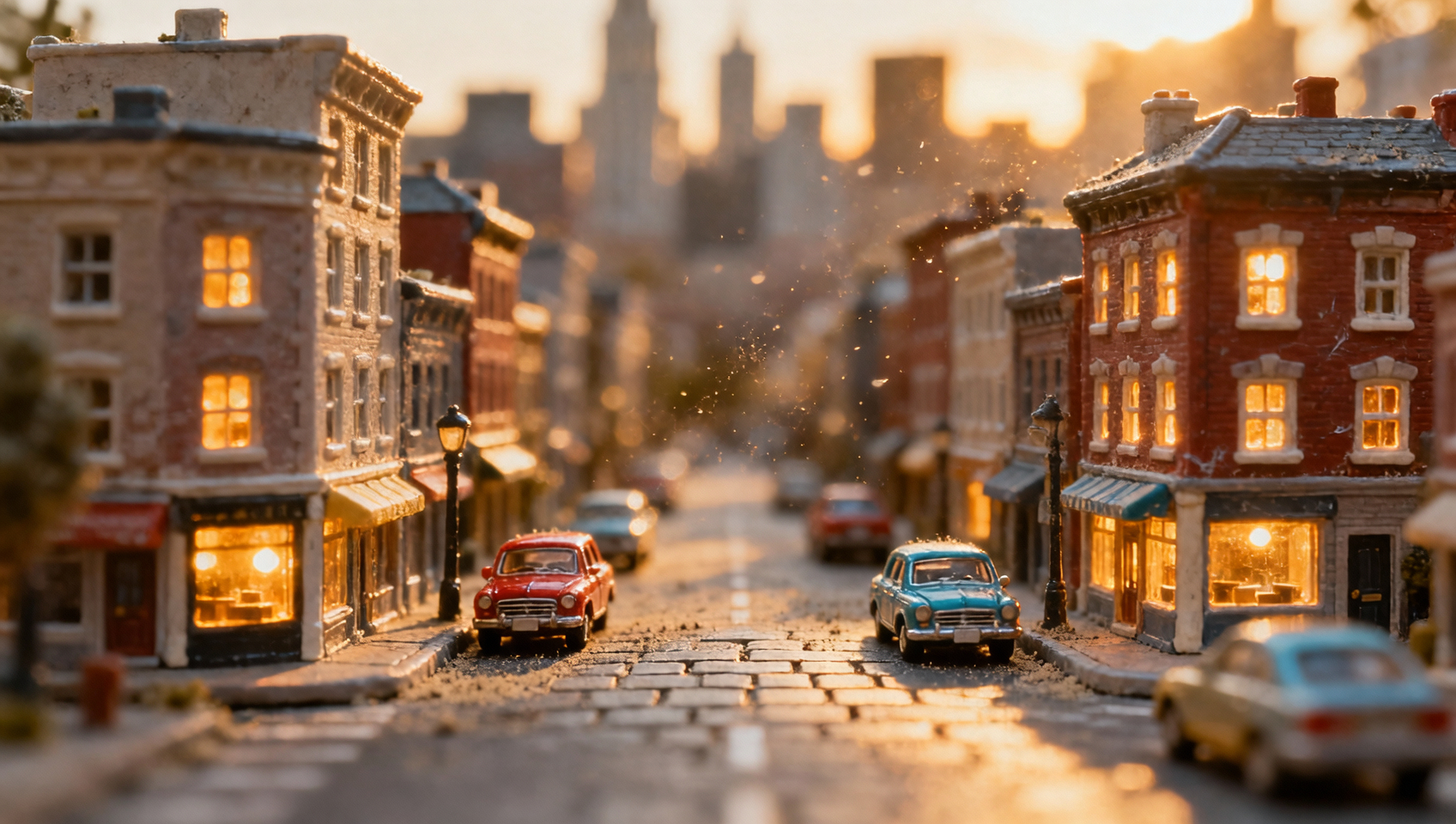
Освоение эстетики миниатюры в Midjourney
В фотографии миниатюр есть особое очарование, вызывающее чувство ностальгии и удивления. Будь то крошечный городской пейзаж, сияющий под мягкими уличными фонарями, или милая фигурка животного, сидящая на замшелом камне, эффект «тилт-шифт» управляет глубиной резкости, заставляя реальные сцены выглядеть как игрушки. Воссоздание этого эффекта генеративными методами требует большего, чем просто добавление слова «small» в ваш промт. Это требует понимания оптической симуляции, световых схем и специфических параметров Midjourney, контролирующих фокус и текстуру.
Это руководство разбирает точную формулу для генерации высококачественных миниатюрных сцен с помощью Midjourney на платформе MidassAI Studio. Мы отойдем от общих советов и сосредоточимся на технических инструментах, которые позволяют контролировать масштаб, размытие и реалистичность материалов.
Для кого предназначен этот процесс
Этот урок создан для авторов, которым нужны последовательные стилизованные изображения без организации физических фотосессий. В частности, этот подход полезен:
- Дизайнерам для e-commerce: Создание мокапов продуктов, которые выглядят как коллекционные фигурки.
- Создателям контента: Генерация уникальных превью или обоев, выделяющихся благодаря глубине.
- Концепт-художникам: Визуализация окружения с игривым качеством диорамы.
- SMM-менеджерам: Создание успокаивающего контента (healing), который хорошо работает на визуальных платформах.
Если вы ищете фотореализм, имитирующий реальность в полном масштабе, это руководство не для вас. Однако, если вы хотите стилизовать реальность во что-то осязаемое, но маленькое, следующий框架 оптимизирует ваш процесс.
Quick Takeaways
Формула промта для эффектов тилт-шифт
Достижение вида миниатюры relies on обманывая ИИ, заставляя его рендерить малую глубину резкости. В реальной фотографии это делается с помощью объектива тилт-шифт или макро-объектива с широкой диафрагмой. В Midjourney мы воспроизводим это через специфическую кластеризацию ключевых слов.
Базовая структура должна следовать этому порядку: Объект + Окружение + Освещение + Симуляция камеры + Модификаторы стиля.
Для Объекта будьте конкретны в материалах. Миниатюрные модели часто имеют специфические текстуры, такие как пластик, смола или крашеная керамика. Используйте дескрипторы вроде polymer clay, die-cast metal или painted figurine.
Для Окружения контекст подразумевает масштаб. Кошка, сидящая на диване, выглядит нормально. Кошка, сидящая на наперстке, выглядит миниатюрной. Используйте реквизит для enforced scale, такой как giant mushrooms, matchbox houses или oversized books.
Для Симуляции камеры это самый критический компонент. Вы должны явно указать оптический эффект. Essential keywords include tilt-shift photography, macro lens, shallow depth of field и bokeh. Термин miniature faking также распознается моделью как стилистический сигнал.
Для Освещения миниатюрные сцены часто выигрывают от мягкого, рассеянного света, имитирующего студийные setup. Terms like softbox lighting, volumetric fog и warm ambient glow help sell the illusion of a controlled environment rather than chaotic reality.
Настройка параметров для масштаба и качества
Одних ключевых слов часто недостаточно, изображения выглядят как обычные фото с примененным фильтром размытия. Чтобы truly integrate the effect into the generation process, вам нужно leverage Midjourney parameters.
Соотношение сторон (--ar) Миниатюрные сцены часто лучше всего работают в квадратных форматах или 4:3, имитируя классическую игрушечную фотографию или instant film. Попробуйте --ar 4:3 или --ar 1:1. Более широкие aspect ratios like 16:9 могут work for dioramas but may dilute the focus on the central subject.
Стилизация (--s) Keep the stylize value moderate. High stylization can introduce artistic aberrations that break the realism of the materials. A value between 100 and 250 keeps the image grounded while allowing for aesthetic enhancement.
Style Raw (--style raw) This is crucial for lighting control. When you want specific lighting conditions like rim lighting or subsurface scattering on plastic materials, --style raw reduces Midjourney's default beauty filters. This allows your prompt's lighting instructions to take precedence, resulting in more accurate material representation.
Версия (--v 7) Always aim for the latest version available in MidassAI Studio. Newer models understand spatial relationships and lighting physics better. As of now, --v 7 offers superior handling of complex depth cues compared to earlier iterations.
Конкретные примеры промтов
Вот два distinct examples you can test immediately. Note how the material descriptors and camera settings interact.
Пример 1: Уютная комнатная диорама
Промт:
a cozy miniature bedroom inside a glass jar, tiny bed with knitted blanket, soft warm lamp light, dust motes dancing in light, tilt-shift photography, macro lens, f/2.8, shallow depth of field, bokeh background, polymer clay texture, isometric view --ar 4:3 --style raw --v 7
Пример 2: Лесное существо
Промт:
a cute hedgehog figurine sitting on a mossy stone, giant acorn nearby, forest floor background, soft natural sunlight, dappled light, miniature effect, tilt-shift, macro photography, highly detailed resin texture, cinematic lighting --ar 3:2 --s 200 --v 7
When running these in MidassAI Studio, generate a grid of four variations. Look closely at the edges of the subject. If the blur looks artificial or digital, add optical blur to the prompt. If the textures look too real (like fur instead of plastic), add toy material or figurine.
Применение и рабочий процесс
Once you have generated your base image, the utility extends beyond static posts. The miniature aesthetic is highly versatile across different media formats.
Применение изображений ИИ The primary use case is static content. These images perform exceptionally well as e-commerce hero images because the "toy" aesthetic reduces visual clutter and focuses attention on the subject. They also serve as excellent wallpapers for mobile devices, where the vertical aspect ratio complements the depth of field.
Интеграция видео ИИ You can animate these static generations using external AI video tools. Because miniature scenes often have simple, contained movements (like a blinking light or falling snow), they translate well to motion. Input your Midjourney generation into an image-to-video model to create looping cinemagraphs. The shallow depth of field helps mask minor motion artifacts that often plague AI video.
Музыка и атмосфера ИИ For multimedia projects, pair these visuals with lo-fi or ambient audio. The visual nostalgia of the miniature style pairs naturally with chill-hop or acoustic tracks. This combination is effective for relaxation apps or background content for streams.
Экосистема инструментов ИИ Integrate this workflow into a larger pipeline. Use MidassAI Studio for the base generation, then employ upscaling tools for print resolution. You can also use inpainting tools to swap out specific elements within the diorama without regenerating the entire scene, maintaining consistency across a series of images.
Частые ошибки, которых следует избегать
Even with the right formula, errors occur. The most common issue is неоднозначность масштаба. If the AI is unsure how big the subject is, it will default to human scale. Always include a reference object of known size, such as a coin, pencil, or hand, to anchor the perspective.
Another pitfall is избыточное размытие. While depth of field is key, blurring the main subject ruins the image. Ensure your prompt specifies sharp focus on subject alongside the blur commands. If the background is too busy, it distracts from the miniature effect. Simplify the background description to blurred neutral background or soft bokeh.
Finally, avoid непоследовательное освещение. Miniature scenes are usually shot in controlled environments. If your prompt mixes natural sunlight with neon studio lights, the shadows will conflict, breaking the illusion. Stick to one primary light source description.
Итоги
Creating convincing miniature imagery in Midjourney is about controlling perception. By combining specific material keywords with optical parameters, you can generate scenes that feel tactile and intimate. The key is iteration; rarely does the first grid hit perfection. Adjust your lighting descriptors and material tags based on the output until the scale feels right.
For a streamlined experience with access to the latest models and parameters, utilize the dedicated workspace available through our partner platform.
Попробуйте Midjourney в MidassAI Studio to start building your miniature worlds today.