
Midjourney Kingfisher Prompts: फोटोग्राफी और इलस्ट्रेशन गाइड
Midjourney AI Team · 23 जुलाई 2026 · 8 min read
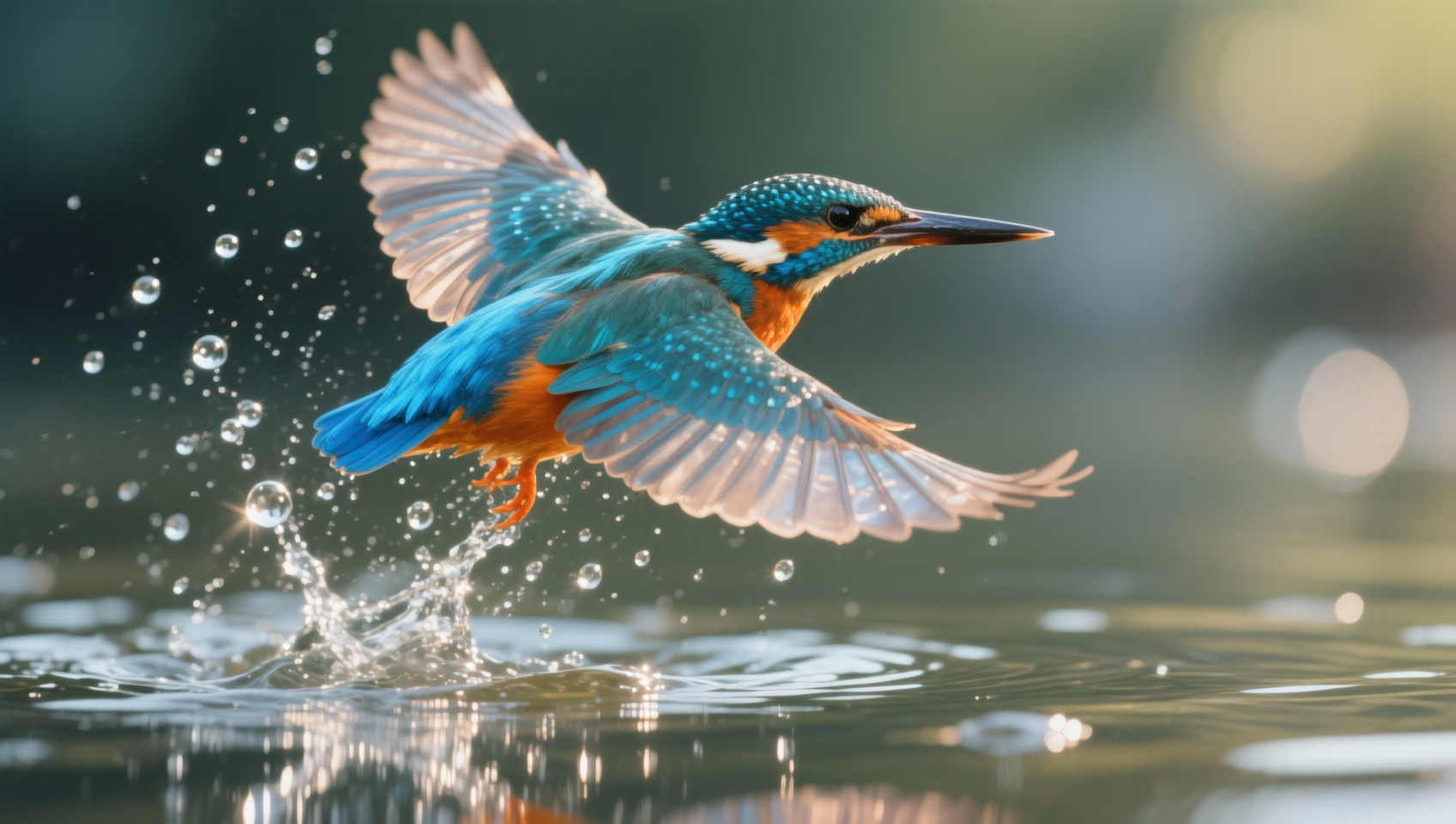
फोटोरियलिज्म और इलस्ट्रेशन के बीच चुनना
AI जनरेशन में Kingfisher की essence को पकड़ने के लिए केवल 'bird' टाइप करना काफी नहीं है। Kingfisher की पहचान specific visual markers से होती है: iridescent blue plumage, एक लंबी नुकीली चोंच, और पानी के ऊपर dive या hover की dynamic tension। जब आप MidassAI Studio पर Midjourney के भीतर काम कर रहे होते हैं, तो आपका पहला निर्णय तय करता है कि आप कौन सा parameter stack उपयोग करेंगे। क्या आप National Geographic-style wildlife shot का लक्ष्य रख रहे हैं, या एक stylized botanical illustration का?
यह distinction matter करता है क्योंकि lighting models और texture priorities काफी अलग होते हैं। Photorealism की मांग है पानी पर accurate light refraction और individual feather separation। Illustration shape language, color harmony, और stroke texture को priority देता है। अपने लक्ष्य के लिए गलत style parameters का उपयोग करने अक्सर uncanny valley effects का परिणाम देता है, जहाँ feathers plastic जैसे लगते हैं या पानी glass जैसा।
| Style Feature | Photography Benefit | Illustration Benefit |
|---|---|---|
| Texture | Real feather detail via --style raw | Stylized brush strokes via --niji |
| Lighting | Natural sun reflection on water | Controlled studio or flat lighting |
| Motion | Freeze-frame shutter speed effect | Exaggerated motion lines or blur |
Wildlife photography के लिए, हम Midjourney के default beautification filters को कम करने के लिए --style raw पर भरोसा करते हैं। यह एक real camera sensor के noise और imperfections को आने देता है, जो convincing water splashes के लिए crucial है। Illustration के लिए, हम bird के plumage के color blocks पर जोर देने के लिए depth को थोड़ा flatten करते हुए --niji 6 या specific artist references की ओर झुक सकते हैं।
Prompt Structure को Deconstruct करना
एक robust kingfisher prompt को तीन layers को address करने की आवश्यकता है: subject, environment, और technical camera specs। कई users fail करते हैं क्योंकि वे subject description को overload कर देते हैं जबकि environment को neglect करते हैं। Water context के बिना एक kingfisher अपनी identity खो देता है।
यहाँ photorealism के लिए एक high-performance prompt structure का breakdown दिया गया है। technical parameters को अंत में placement पर ध्यान दें ताकि वे केवल अंतिम शब्द के बजाय entire generation को modify करें।
यहाँ फोटोरियलिज्म के लिए एक हाई-परफॉरमेंस prompt structure का ब्रेकडाउन दिया गया है:
/imagine prompt: common kingfisher diving into river, water splash frozen in time, iridescent blue and orange feathers, macro photography, shallow depth of field, natural sunlight --ar 16:9 --style raw --v 7 --s 250
यहाँ --ar 16:9 aspect ratio critical है। Wildlife photography शायद ही कभी square crop में अच्छी लगती है; dive के trajectory को दिखाने के लिए आपको horizontal space की आवश्यकता होती है। --s 250 (stylize) value को moderate रखा गया है। High stylization values अक्सर wildlife को over-process कर देती हैं, जिससे feathers photographed के बजाय painted लगते हैं।
जब illustration को target किया जाता है, तो syntax shift होता है। आप medium को explicitly define करना चाहते हैं।
इलस्ट्रेशन को टारगेट करते समय, syntax बदल जाता है:
/imagine prompt: kingfisher perched on branch, watercolor illustration, soft edges, botanical art style, white background, detailed plumage --ar 4:5 --v 7 --niji 6
इस scenario में, --niji 6 model base model की तुलना में anime और illustration aesthetics को बेहतर handle करता है। Aspect ratio portrait-oriented prints या social media cards के अनुकूल 4:5 में बदल जाता है।
References के साथ Consistency Manage करना
यदि आप images की एक series बना रहे हैं जहाँ kingfisher को different poses में identical दिखने की आवश्यकता है, तो character references (--cref) essential हैं। हालांकि, wildlife के लिए, style references (--sref) अक्सर अधिक useful होते हैं। आप पानी की texture या feather lighting की एक photo ले सकते हैं जो आपको पसंद है और उसे style reference के रूप में pass कर सकते हैं।
यह Midjourney को आपके reference image की lighting और color grading को अपनाने के लिए force करता है:
/imagine prompt: kingfisher hunting --sref [URL_of_water_texture] --v 7
यह Midjourney को नई bird composition generate करते समय आपके reference image की lighting और color grading को adopt करने के लिए force करता है। यह विशेष रूप से MidassAI Studio में effective है, जहाँ asset libraries को manage करना streamlined है।
Static Images से आगे Expand करना
एक single image generate करना अक्सर एक larger content pipeline के लिए केवल starting point होता है। आप द्वारा बनाए गए kingfisher assets video, music, और interactive tool workflows में feed हो सकते हैं। यह समझना कि आपका initial prompt downstream media को कैसे affect करता है, बाद में revision के घंटों बचाता है।
AI Video Integration
Kingfishers की static images image-to-video models के लिए excellent inputs हैं। यदि आपका initial Midjourney generation clear motion blur या dynamic pose (जैसे कि एक dive) है, तो video AI tools उस movement को extrapolate कर सकते हैं। हालांकि, यदि prompt एक static perch generate करता है, तो resulting video unnatural लग सकता है। यदि video end goal है, तो अपनी initial image generation में हमेशा "action" या "motion" के लिए prompt करें। --chaos 10 जैसे parameters wing position में slight variations introduce कर सकते हैं, जिससे video models को frames interpolate करते समय काम करने के लिए अधिक data मिलता है।
AI Music और Atmosphere
कम direct होने के बावजूद, आपकी kingfisher image का visual mood audio generation prompts को dictate कर सकता है। एक dark, moody river scene ambient water sounds और low-frequency drones का suggestion देता है। एक bright, high-contrast illustration upbeat, acoustic instrumentation का suggestion देता है। जब आप MidassAI Studio में अपने projects को document करते हैं, तो अपनी images को audio mood descriptors के साथ tag करें। यह metadata बाद में visuals को generative audio tracks के साथ pair करते समय help करता है।
Tool Interoperability
आपके generated assets dead ends नहीं हैं। एक high-resolution kingfisher illustration को logo design के लिए vectorized किया जा सकता है या 3D modeling में texture map के रूप में उपयोग किया जा सकता है। Export करने से पहले studio environment के भीतर अपनी images को upscale करना सुनिश्चित करें। Default grid output शायद ही कभी print या commercial use के लिए sufficient होता है। Asset को other software में ले जाने से पहले feather textures में detail को maximize करने के लिए upscaler tools का उपयोग करें।
MidassAI Studio में अपने Workflow को Optimize करना
इन prompts को efficiently execute करने के लिए एक stable environment की आवश्यकता होती है। Locally या unstable connections पर complex parameter stacks को run करने से lost generations हो सकते हैं। MidassAI Studio Midjourney workflows को handle करने के लिए एक optimized interface प्रदान करता है, यह सुनिश्चित करता है कि आपकी parameter strings syntax errors के बिना correctly process हों।
जब आप MidassAI Studio Midjourney में इन workflows को try करते हैं, तो आपको history tracking और version control तक access मिलता है। यह prompts को tweak करते समय vital है। आप kingfisher prompt को ten times run कर सकते हैं, हर बार केवल --s value को adjust करते हुए। एक structured studio environment के बिना, यह track करना difficult हो जाता है कि किस stylize value ने best water refraction produce किया।
इसके अतिरिक्त, studio environment style references पर faster iteration की allow करता है। आप अपने local birds की अपनी photography को upload कर सकते हैं ताकि उन्हें --sref या --cref के रूप में उपयोग किया जा सके बिना इस बात की चिंता किए कि external hosting links expire हो रहे हैं। यह आपके workflow को self-contained और professional रखता है।
Avoid करने के लिए Common Pitfalls
- Bird को Over-describe करना: Midjourney को पता है कि kingfisher क्या है। "beautiful," "amazing," या "perfect" जैसे too many adjectives जोड़ने से prompt dilute हो जाता है। Physical descriptors पर stick करें: "long beak," "blue back," "orange chest।"
- Lighting Direction को Ignore करना: Feathers को volume देने के लिए "side lighting" या "backlit" specify करें। Flat lighting bird को sticker जैसा दिखाती है।
- Water Physics को Neglect करना: पानी AI के लिए hard है। Model को generic blue blobs के बजाय realistic water interaction की ओर guide करने के लिए "surface tension," "refraction," या "splash crown" जैसे terms का उपयोग करें।
Prompt को एक wish list के बजाय एक technical specification के रूप में treat करने से, आपको output पर consistent control मिलता है। चाहे आपको एक stock photo alternative या एक concept art piece की आवश्यकता हो, parameters वह lever remain हैं जिसे आप result को adjust करने के लिए pull करते हैं।
क्या आप इन parameters को higher stability और faster rendering के साथ test करना चाहते हैं?